

Sometimes people ask me: where do you get the hardware to run inference for BayLeaf or, if you’re so interested in medium-sized models, what’s the biggest model you can handle? These are reasonable questions, but I think they come from an unstated assumption that the GPUs or whatever devices generate the tokens are in a rack somewhere on campus, or maybe they come from a machine in my office. BayLeaf uses cloud services for inference, like most other organizations, but what if we really did run the models themselves, not just the harnesses, on campus?
Lest we settle for AI pig iron, I don’t think we should run inference for BayLeaf services on campus. However, there’s a lot to be learned from an earnest attempt.
A Laptop in my Office
It’s commonly assumed that you need (multiple) GPUs to run LLMs. This is untrue, but it gives us somewhere to start. Let’s pick a location on campus, stick a machine with a GPU there, load an LLM on it, and measure how much power it takes to generate tokens of text from some model at some speed.
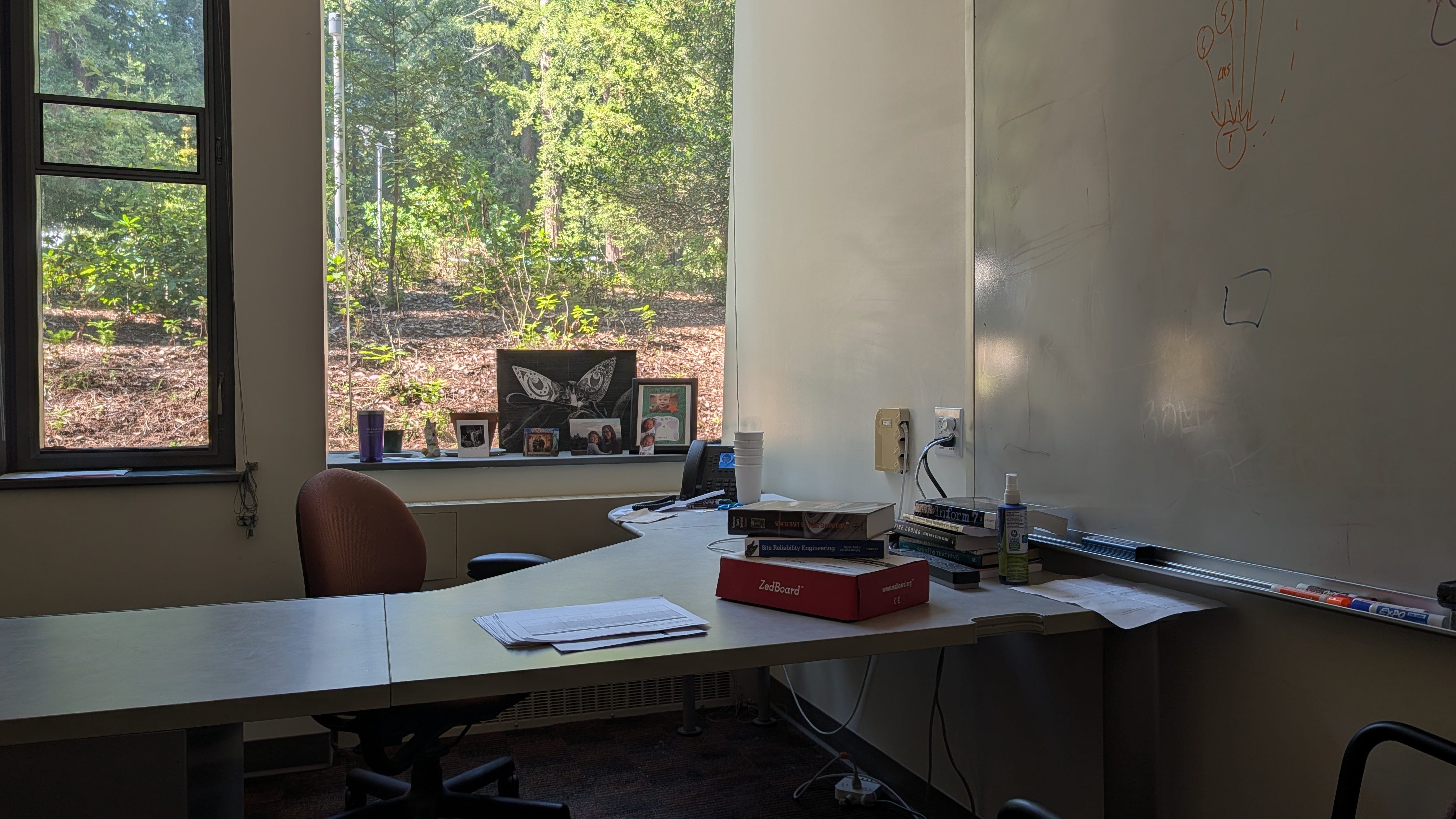
My faculty office in the Engineering 2 building has university-provided electrical power, cooling, and network access. The computing hardware for my personal data center will be my personal laptop, an M3 Max MacBook Pro. Because this computer has one large block of unified memory (64GB), it will let us try running some models that would otherwise require multiple desktop-class GPU devices (e.g. NVIDIA RTX 4090s) or a server-class GPU (e.g. an NVIDIA A100).
I’ll start with two of the strongest open-weight LLMs for their total size at this point in the summer of 2026: Qwen3.6-27B, the “dense” one, and Qwen3.6-35B-A3B, the “sparse” one. I’ll use the 8-bit quantization of each model, so you can easily estimate the on-disk storage size and in-memory size by the parameter count: a 35 billion parameter model is going to take up about 35 gigabytes. With 64 gigabytes of memory in this machine, I’ll have lots of room left over to store KV-cache for whichever model I’m using. (The cache is an important data structure for making LLM inference efficient, but it requires almost as much memory as the model itself for storage in typical agentic usage scenarios.)
You don’t just double-click the models and run them like apps; you need to run an inference server that will load and interpret them in response to user queries. I’ll use the oMLX inference server. While you might use vLLM for production-grade multi-user inference services, oMLX is a nice match for my laptop.
This setup with those two Qwen3.6 models in oMLX isn’t something new for me. I’ve been running this setup for a few months, and I’m a monetary and technical contributor to the oMLX open-source project.
When I fire off some benchmarking runs, I find the dense model generates about 12 tokens per second (tps) and the sparse model runs at 78 tps. The sparse model is faster because it only activates a fraction of the model for each output token (35B-A3B means only 3 billion out of 35 billion parameters are active at each token, a density factor of about 8.5%; 27B means all 27 billion parameters of the 27 billion parameter model are active each time, 100% density). According to published quality benchmarks (and my vague, subjective sense), the dense model is smarter than the sparse one, but the quality difference isn’t big enough to justify the throughput sacrifice. So, the sparse model is what I’d realistically use in production (in some bizarre world where my laptop were the inference substrate).
During inference tests, I can feel my laptop physically heating up. I measured it drawing 120 Watts of power. As I write this blog post (on the waterfront steps of Copenhagen Opera House), my laptop is idling at 16W. But most of that is from having the screen brightness cranked up so I can read text outside. If I were writing this post in my hotel room, I’d probably be using more like 8W, or even 4W if I kept the screen extra dim. (This trip to Copenhagen for an academic conference is going to cost me more than a year’s operating costs of BayLeaf, by the way.)
The numbers I reported above were for processing a single request at a time. This makes sense for personal use, but for a service, we might reasonably be asked to generate responses for several requests concurrently. When I re-run my tests with multiple concurrent requests, the per-request token generation rate goes down, but the total token generation rate goes up. For a server-class GPU, you might configure the server to work on 32 distinct requests at a time. For my high-memory, weak-compute laptop, handling even a second request concurrently makes the first request’s response trickle back uncomfortably slowly.
Okay, I ran an on-campus inference service, and it totally worked. I’m done, right? No: it is all of this beyond-the-GPU stuff that matters a lot.
Suppose I wanted to wire my laptop’s oMLX instance up as one of the back-ends for BayLeaf. My laptop isn’t always in my office (it’s in Copenhagen right now!), so the BayLeaf user-facing services need to find the inference hardware as it comes around the world. This isn’t a major problem, as I can logically wire things up with my Tailscale VPN. But what if I need to close the lid of my laptop? What if the times of day when BayLeaf users want inference services collide with when I want to use my computer’s GPU and RAM for something else?
Even if it can technically run LLM inference services, a laptop in my office is clearly not a satisfying replacement for your typical data center.
(Rabbit hole: Qwen3.6-35B-A3B is an excellent model for its size, but it’s also not smart enough to handle many of the things I’d like to do with BayLeaf. It’s often the case that bigger models are better. It’s also often the case that newer models, of a given size, are getting better every few months. It seems likely that “35B-A3B” is a good shape for MoE models, even if the Qwen3.6 instantiation of that shape isn’t fully satisfying.)
A Campus Data Center
Just a one-minute walk from my office in the Engineering 2 building takes you to the Communications building on campus. This building serves multiple kinds of communications: the Film and Digital Media department has offices, studios, and editing bays in there, it’s got a satellite dish on the roof that might have something to do with radio communications, and, most important for us, it houses a machine room with racks of servers and data networking.
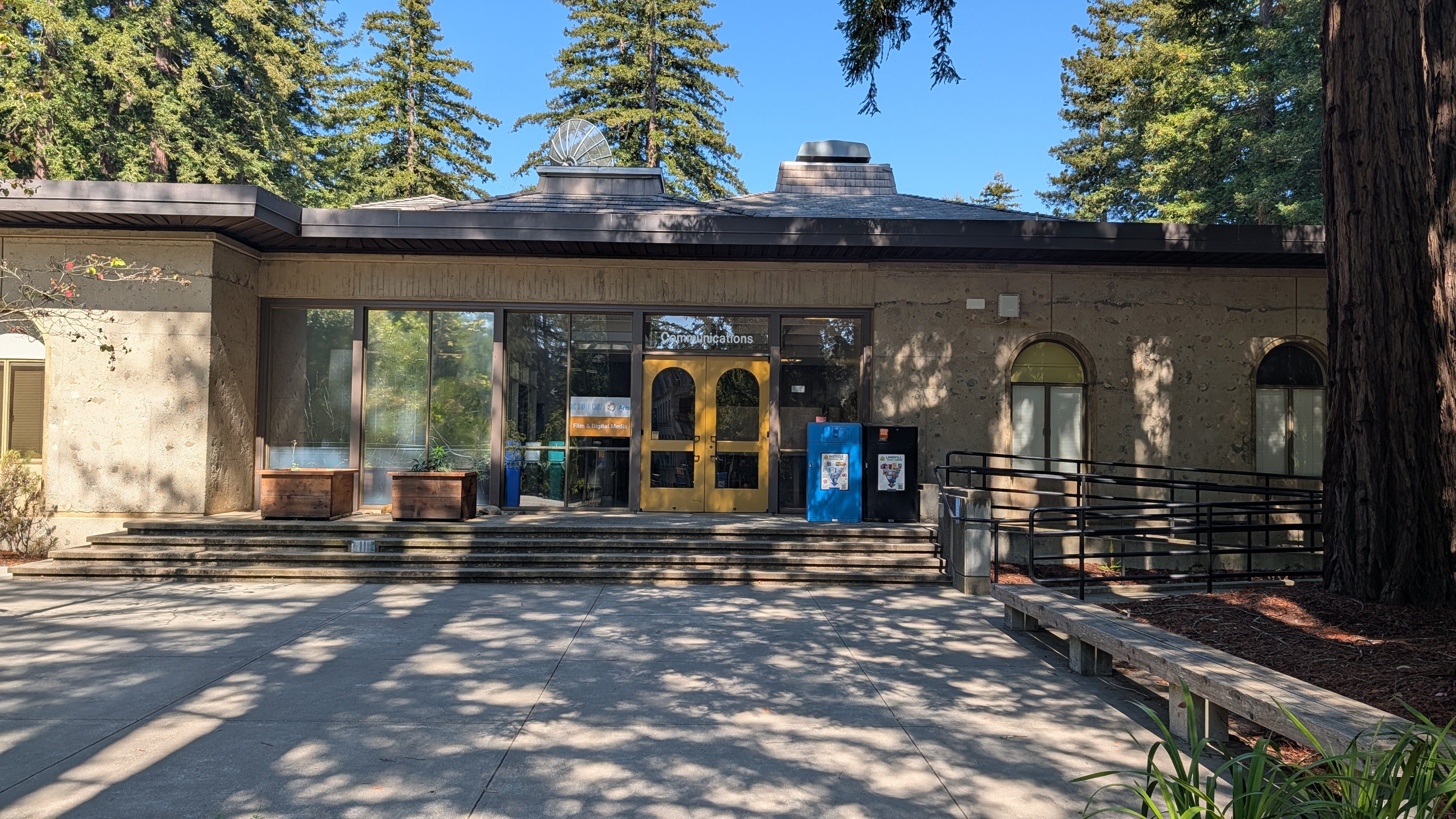
I went down to the basement of the Communications building, following the high-pitched whine of server fans, and found a locked door. Through the window, I could see the machines with their glowing lights. It’s a data center with industrial grade power and thermal utilities. If I somehow got my hands on a server-class GPU, I could run it from there, right? That’d clearly be the appropriate location to run on-campus compute infrastructure. But, I don’t have a key to the door.
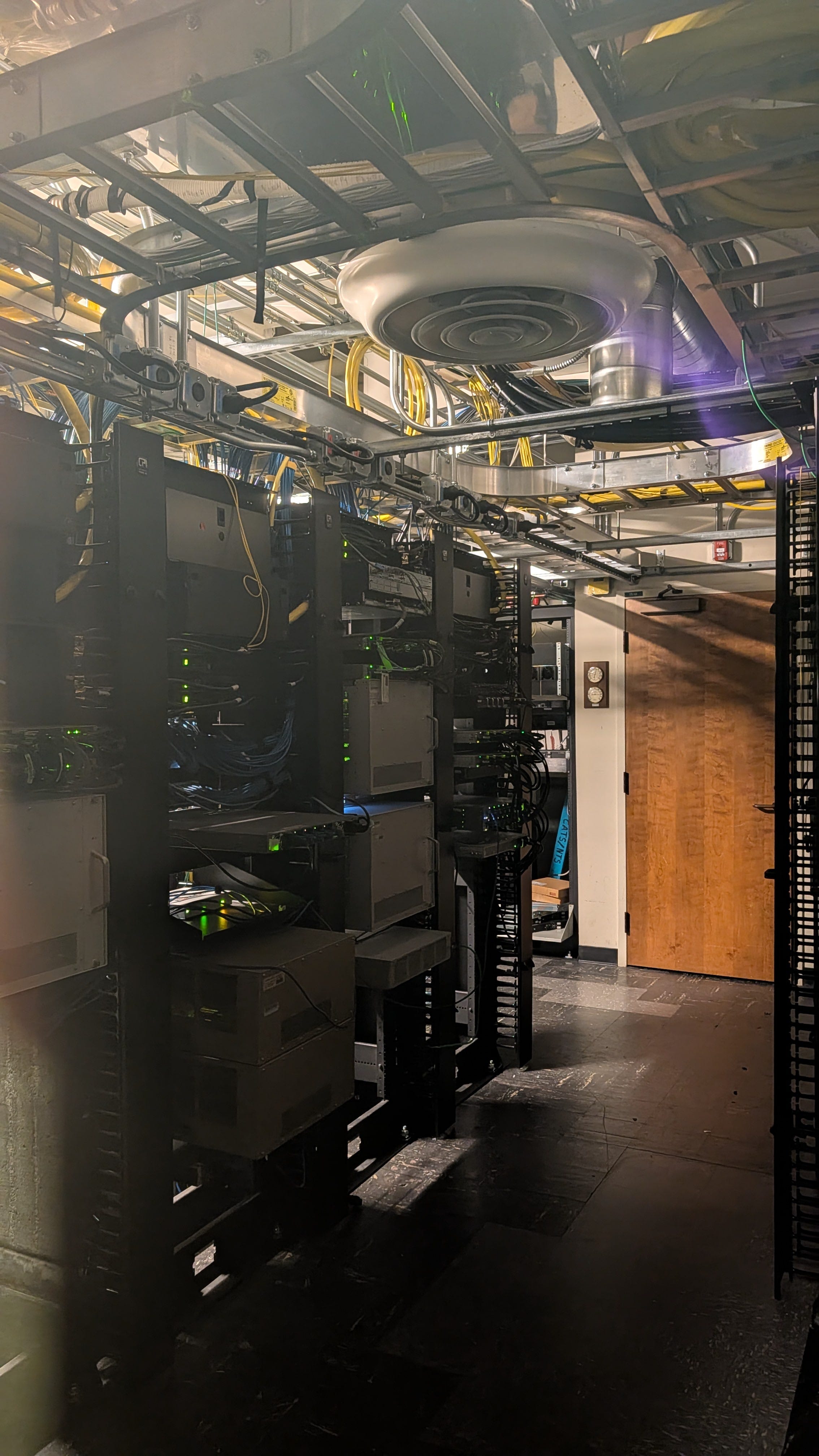
Or maybe I do have a way in. It turns out that several of the machines in the Communications Building Data Center are already rigged up to participate in the Nautilus Hyperconverged GPU Cluster of the National Research Platform (NRP). For unrelated reasons, I already have admin privileges for a resource namespace on this cluster. So, a few Kubernetes commands later, I had access to a machine that identified itself as k8s-gpu-6.ucsc.edu with an NVIDIA RTX 5000 Ada Generation GPU with 32 GB VRAM.
I got the two Qwen3.6 models running on that GPU server, this time using vLLM rather than oMLX, and I collected some unremarkable throughput measurements. I say unremarkable because many others have gathered the same data. For a single request, the server-class GPU runs somewhat faster than the laptop-class GPU. For multiple requests, the server-class GPU maintains per-request performance much better. But this is common knowledge that doesn’t require an experiment. What mattered more is that, as an individual faculty member, I was able to figure out how to put this all together from already-purchased, already-running resources.
The problem is that these resources aren’t arranged to be able to support a service like BayLeaf. There’s no problem with running LLMs on NRP: it’s an officially supported service. The bigger issue is that this research platform is allocated for research use, and the LLM service in particular is not operated with any of the privacy and security guarantees we need. Even if I wanted to use UCSC’s existing NRP nodes to run my own LLM service (under my own privacy terms), I shouldn’t. GPU nodes on NRP are supposed to be allocated only temporarily, for jobs that can keep the GPU at 40% utilization or above at all times. Even with whole-campus adoption, I don’t think BayLeaf has enough around-the-clock demand to justify keeping a single dedicated GPU reserved for BayLeaf inference services.
I ran another experiment, this time using CPU-only inference on a machine that identified itself as fiona8.ucsc.edu. The same two models are, of course, capable of running inside vLLM. GPUs were never technically required. The dense model generates at 4 tps and the sparse model 7 tps. Natural human speech rate is somewhere between these figures, so we shouldn’t rule out CPU-only inference on generation speed alone.
The problem is reading, not writing, in two senses. First, we humans read the output of the model, we don’t speak it. Text that trickles out at speech rate doesn’t afford skimming or even reading particularly comfortably. Second, models don’t just generate output, they process inputs that contextualize the future output. If you ask your friend to summarize a 10-page research paper, you don’t mind it when they take an hour to read the paper first. But if your LLM-based assistant takes an hour to read the paper first before typing out the summary, you’ll be frustrated. (There’s an emerging technical literature on “disaggregated inference” where input processing and output generation are separated, run by different software systems on different hardware. But let’s not get lost in that rabbit hole.) If we’re too focused on generating tokens, we’ll miss the constraints that make one system design or another feasible for use in BayLeaf.
Think of it like power generation. Just because I’m able to rent a diesel generator, haul it up to campus, and generate electricity, doesn’t mean it is a good idea. For all sorts of reasons (efficiency, environmental, and otherwise), we centralize power generation at scales larger than a single university campus.
Say, where does the power for the campus data center, or my office for that matter, come from anyway?
A Campus Power Plant
Just another one-minute walk from the Communications building on campus takes you to the campus cogeneration plant. Cogeneration, here, refers to simultaneous generation of electrical power and useful heat. Useful heat, in the form of near-boiling water, can be piped between buildings to provide much more efficient heating (or even cooling, through the use of absorption chillers) than electricity provides. If the Communications building houses our data center, then the Cogen facility houses our power plant. Or at least it did, sort of, partially.
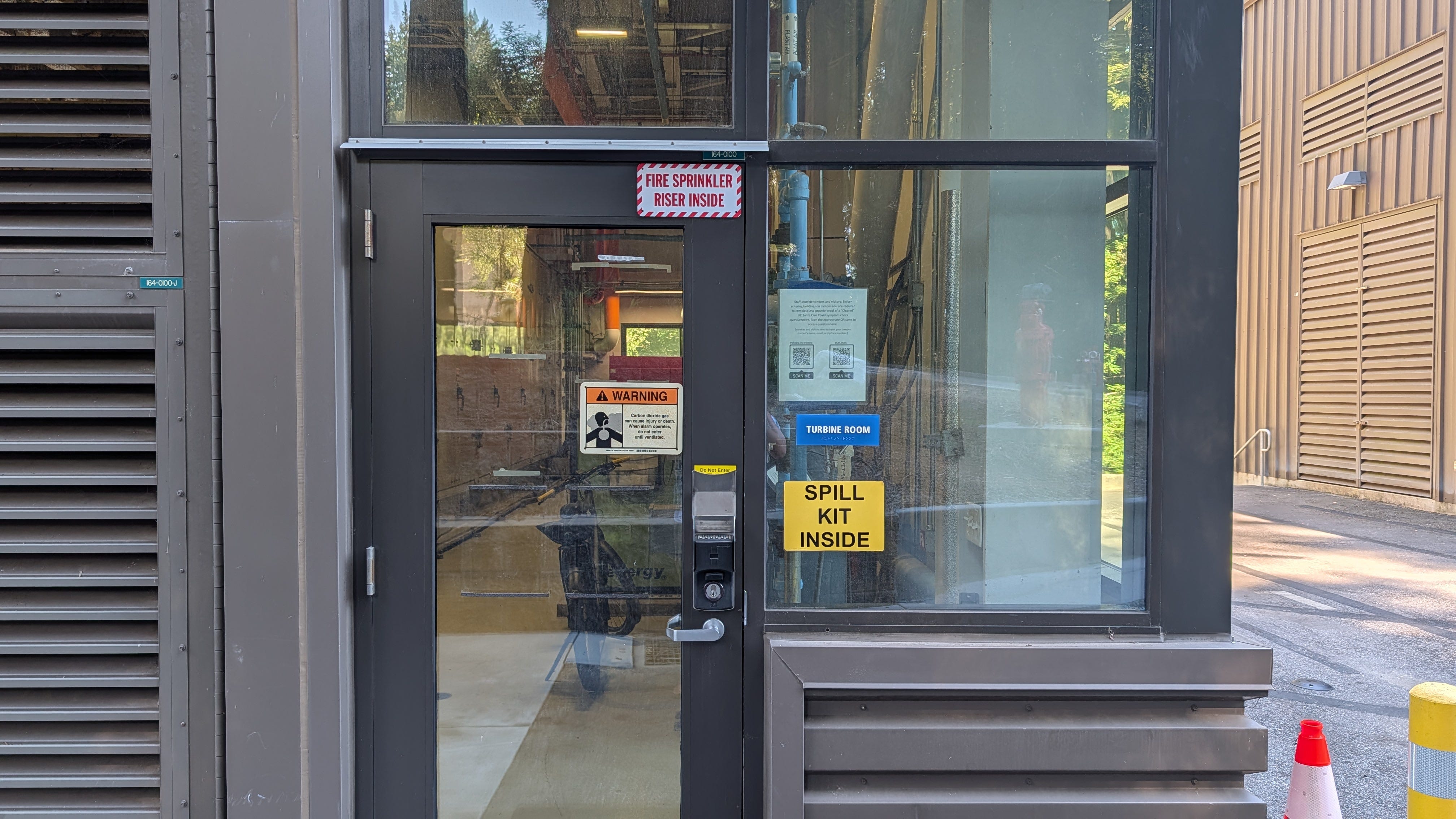
According to campus sources, about 64% of campus electricity comes from our cogen plant. About 6% comes from our various photovoltaic arrays (mostly the canopy in the East Remote Parking Lot). The remaining 30% is made up by on-demand imports from PG&E. PG&E is also the supplier for the natural gas (methane) burned in the “Solar Turbines”-branded Mercury 50 PG Generator Set in the cogen plant.
Numbers aside, it is fair to say most of our electrical power is generated locally. However, even that local generation capacity is not entirely situated here. We didn’t frack the methane we burn or smelt the iron used to forge the turbine parts here. There are important reasons, some strategic and some historical, for us to continue to burn the methane here rather than having PG&E burn it for us off-campus.
It might be fun to stash a computer in the control room of the cogen plant, to have it generate tokens using hyper-locally produced energy and (at least by proximity) be part of heat recovery and reuse systems. But it would just be a stunt. The amount of energy used by AI services at a campus scale is just so tiny compared to other kinds of campus energy usage. On the individual scale, dimming your laptop screen, or, even better, remembering to close the exterior door to the lecture hall when the heating or cooling systems are working, is going to matter a bit more than where your AI tokens are generated.
Decommissioning and Decarbonization
In most of my years as a student and later faculty on the UC Santa Cruz campus, I saw the metallic lettering of the “F. LOUIS FACKLER COGENERATION PLANT” sign attached to a large beige building. When I went to go capture a photograph of the building for this blog post, I noticed the sign has recently moved to a smaller, brown building.
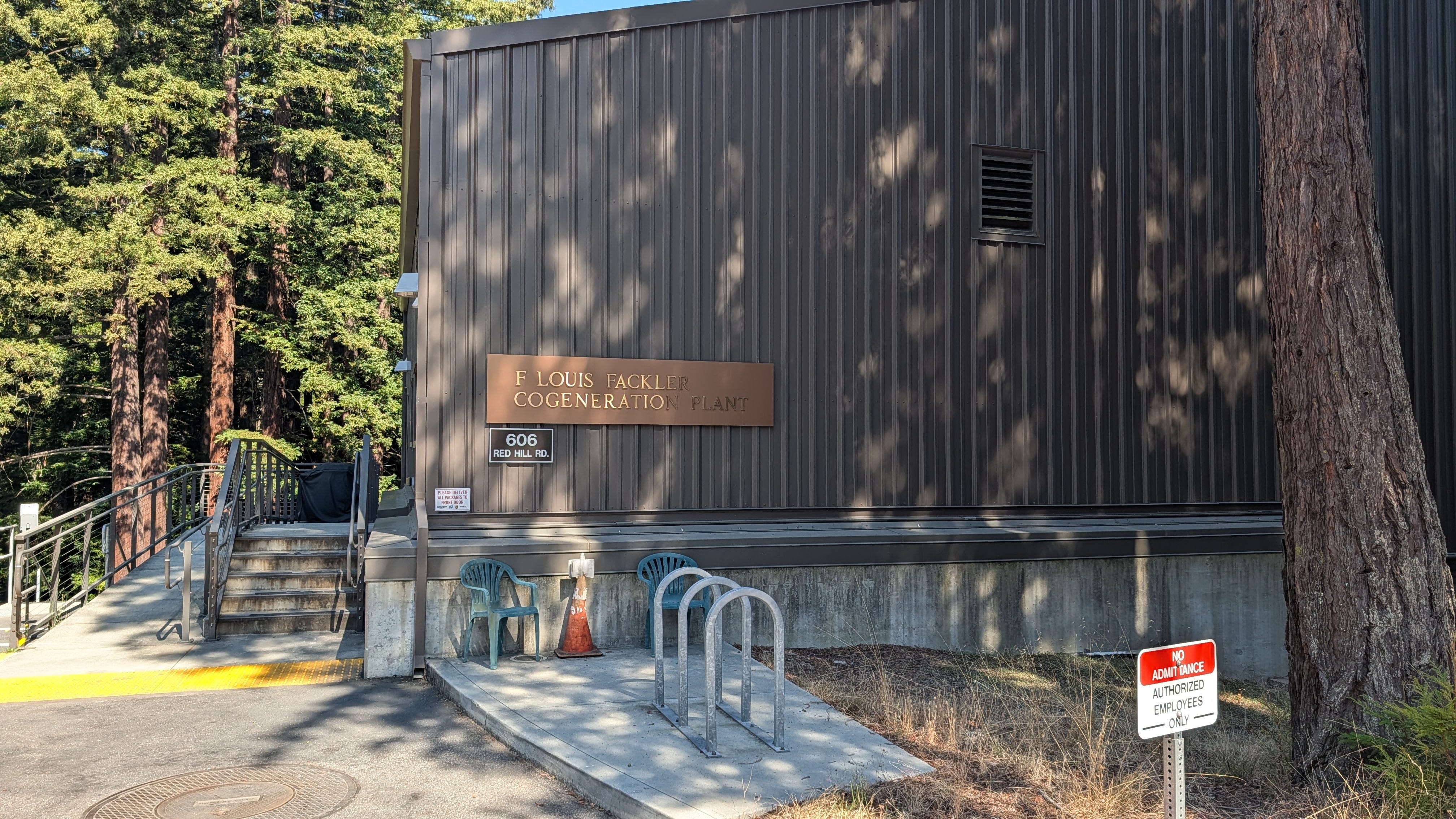
There’s a whole story that could be told about Fackler, the man, and the plant(s) named after him. However, I’ll cut it short to say that even the new building, which houses the Mercury 50, is planned to be decommissioned and not replaced. The future of energy at UC Santa Cruz involves ramping down, rather than up, carbon-emitting energy generation.
On a much shorter time scale, the Communications Building Data Center is also being decommissioned. NRP servers currently operating there will need to move to off-campus data centers. For reasons mostly to do with power and water access, this means using a slice of space in an existing data center in Quincy, Washington, not even in California.
As I imagine an on-campus inference service for BayLeaf, it involves commissioning new infrastructure, re-carbonizing the campus in ways that directly contradict other well-reasoned plans.
If there is a role for university-only inference services, I think the appropriate scale of it is at something larger than a single campus (as it is for power generation). It seems appropriate that UC San Diego’s San Diego Supercomputer Center (SDSC) is being used to experimentally run LLMs for multiple UC campuses. It offers inference for UCSD’s TritonGPT and UCB’s BearGPT. Should it run a hypothetical SlugGPT for UCSC? I’m not sure. All of California’s higher education institutions are located in one timezone and have similar academic calendars, so our load is peaky, and we haven’t yet invented some kind of “AI battery” that would allow us to store excess inference capability in off-hours to spend down during peak hours.
We want our LLM-based agents to respond quickly, but that might mean responding within half a second, not within a few milliseconds. With that kind of latency tolerance, the inference service could be almost anywhere else on the Internet-connected Earth without us noticing. We should probably have base-load inference services follow the sun as it shines on different parts of the world rather than push too hard for regional (e.g. campus-level or even state-level) self-sufficiency.
Metallurgical Literacy
I opened this post with an oblique reference to backyard furnaces (土法炼钢). During China’s Great Leap Forward (1958–1962), the term referred to efforts to radically decentralize steel production. To cut a long story short and avoid torturing a weak analogy, what came out of those furnaces was mostly brittle pig iron rather than usable steel, and production was eventually re-centralized.
I hope you can see the analogy between backyard furnaces and me generating tokens with my laptop in my faculty office. It seems like it sort of works for me, if you excuse some response quality issues, but there’s no way I can usefully compete with cloud inference services when you look at the bigger picture of system reliability, energy efficiency, or alignment with campus decarbonization goals.
So why did Mao Zedong and I even go down this path in the first place? To speculate (as I’m an engineer rather than a historian or political scientist), I think it’s about developing people, perspectives, and credibility of exit from other plans. I want people to understand that the path from methane to chatbots (or from photovoltaics to research automation assistance) is traceable at the human scale, that many of the important processes are close analogs to things that are already happening on campus within a few minutes’ walking distance from one another.
When there’s something we don’t like about how Generative AI currently works in society, we need to be able to build and operate alternatives so we can be precise about the definition of the problem and the feasibility of the solutions. If we’re not able to make alternatives tangible, we’ll be too cautious to try new things and cling too tightly to the first things that seem to even partially work.